


Universal Studios Hollywood
3.3542.00 Reviews
App Specs
- Version
- 2026.8.1
- Updated On
- License
- Free
- Downloads
- 1,000,000+
- Developer
- NBCUniversal Media, LLC
- Categories
- Travel & Local
- Platform
- Android, iOS
Screenshots
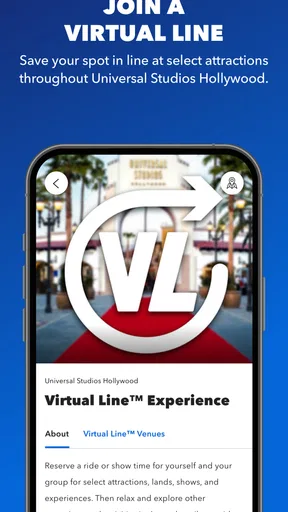
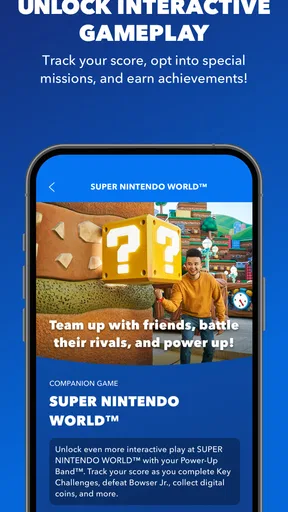
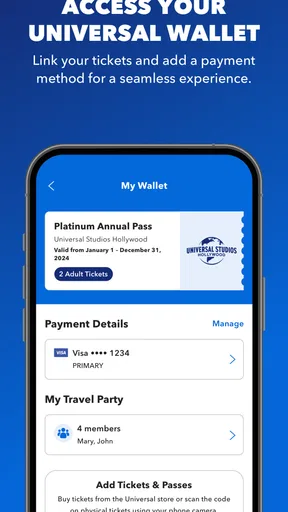
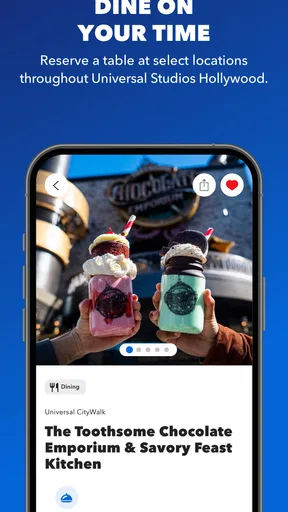
 Analysis by AppCompare
I see the Universal Studios Hollywood app as a useful park companion, not a substitute for planning your day. Its strongest value is putting practical visit details—navigation, waits, food, and admission—in one place. That can take some guesswork out of a busy day, especially if you are visiting for the first time. I would install it before heading out, but I would still keep a flexible plan: live park information helps you make decisions, while crowds and changing schedules can still reshape them.
A pocket guide for decisions on the day
Universal Studios Hollywood is a free travel and local app from NBCUniversal Media, LLC. It has an average rating of 3.4 from around two thousand ratings, and more than one million installs. Those figures suggest a widely used tool that visitors have mixed feelings about, rather than an app I would trust without checking how it behaves on my own phone. The current version is 2026.5.1, and it is rated for Everyone 10+.
The distinction that matters is that this is built around a particular destination. A general maps app can help you get to the park, but it is not designed to bring park attractions, dining, wait information, and visit planning together. The official app is most worthwhile once you are inside or actively preparing for a visit; if you only need directions to the entrance, your regular map app may be all you need.
Using the app to shape a park day
I find the most useful way to approach a park app is to decide what you want it to solve before the day gets busy. In this section, I’d focus on turning the map and current information into a loose route, so the next choice feels manageable without locking the whole visit to a rigid schedule.
Getting started
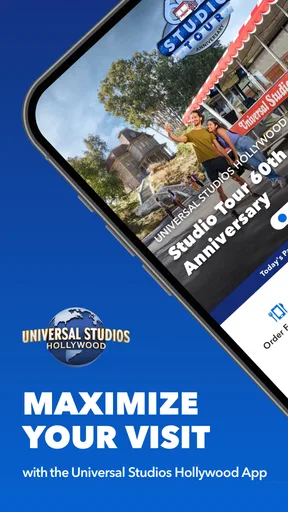
First things first, downloading the Universal Studios Hollywood app is super straightforward. Whether you're an Android aficionado or an iOS enthusiast, you’re covered. Once installed, you’ll be greeted with a vibrant and intuitive interface. Trust me, even if technology isn’t your jam, navigating this app feels like a breeze.
Features That Impress
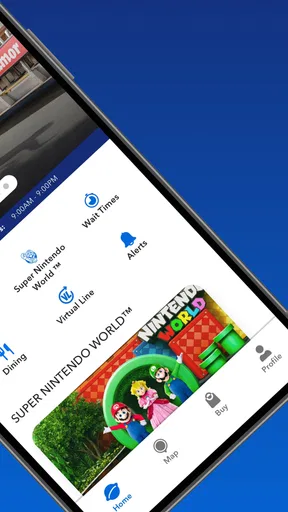
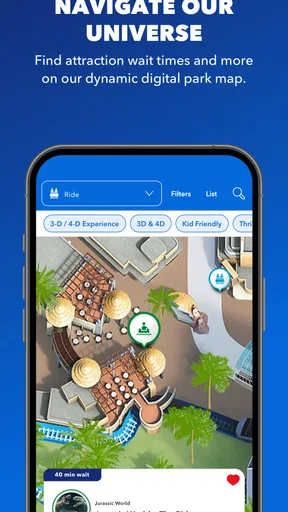
Now, let’s talk about what this app can actually do. One of my favorite features is the interactive map. It’s like having a personal tour guide right in your pocket. You can easily locate rides, attractions, dining spots, and restrooms. No more wandering around aimlessly or missing out on the latest shows—this map's got your back!
Another killer feature is the wait time tracker. It's updated in real-time, letting you plan your day efficiently. Instead of standing in line for hours, you can strategize your visit and hit the attractions when the lines are shortest. Pretty nifty, right?
Worth Reading Before You Choose

EA SPORTS FC Mobile 26 Is a Bigger Football Game, but It Takes Time

Flipboard Shows What News Apps Must Do Beyond the Feed

Switching to Android Auto Means Rethinking Your Driving Routine

Google Calendar Makes a Crowded Week Easier to Manage

Ludo King Makes the Most of the Minutes Between Plans

Baby Panda World Brings Quick Play to Modern Phones, but Its Game Library Feels Busy
Make the map work harder
The map is most helpful when you use it to make a sequence, not simply to find the next pin. Before moving across the park, check what is nearby and decide whether the extra walk is worth it. This small habit can save energy and reduce the temptation to crisscross the grounds because one attraction suddenly looks appealing. It is especially useful for a group with different priorities: agree on a nearby stop, then use the map to regroup rather than assuming everyone will navigate independently.
For a realistic example, imagine arriving with a few hours before a show and a group that wants both a ride and lunch. I would check the wait information, look for food in the same area, and set a loose order rather than trying to schedule every minute. If the wait changes while we eat, we can choose another nearby attraction instead of marching to the opposite end of the park. That is where a park-specific map and updates can be more practical than switching between generic maps, browser searches, and messages.
Reading wait times with a little skepticism
Wait information is useful as a comparison tool, not a promise that a queue will move exactly as expected. I would check it before leaving one area, then check again when making the next decision. A displayed wait can help identify a better opportunity, but it should not be the only reason to abandon a plan, particularly if your group has a must-see attraction or a fixed show in mind. Treating the tracker as a live snapshot keeps it helpful without letting it dictate the entire day.
There is also a trade-off in checking a phone constantly: it can make planning easier, but it can pull attention away from the visit itself. I would make a few deliberate checks at natural pauses—before setting off, while deciding where to eat, or when a plan changes—instead of refreshing the app after every ride. Keeping the next destination in mind before putting the phone away makes the map more useful and the day less screen-led.
Dining and reservations
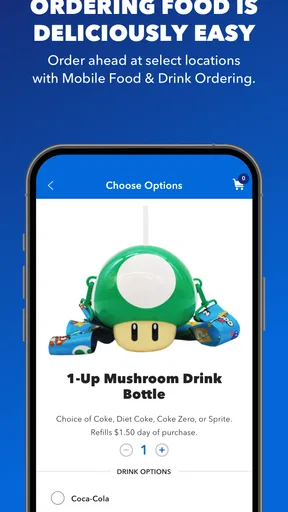
If you’re anything like me, food is a big part of any theme park experience. The app makes it ridiculously easy to find dining options that suit your taste. You can even make reservations at select restaurants and skip the hassle of waiting for a table. Plus, checking out the menus in advance is a great way to avoid any last-minute hangry decisions.
Use menus to avoid rushed choices
Looking at menus before hunger takes over is a simple but underrated use. It lets a group compare options while there is still time to choose a place that works for everyone, rather than stopping at the first convenient counter. For families or friends with different tastes, that can prevent a long debate when people are tired. If you plan to use a reservation option, check the details in the app before building the rest of the day around it; a meal plan should help the itinerary, not become a reason to rush across the park.
I would also keep a backup in mind. A reservation at a select restaurant is useful when that is the meal you care about, but it does not mean every dining choice needs advance planning. If your schedule changes, the map and menus can still help you find another option. The best approach is to reserve only when it meaningfully reduces uncertainty and leave other meals flexible.
Tickets, passes, and arrival prep
Gone are the days of paper tickets and fumbling around at the entrance. With the app, you can purchase tickets or link your existing ones directly to your phone. It’s seamless, eco-friendly, and one less thing to worry about. Plus, if you’re a pass holder, the app keeps track of your perks and benefits so you can maximize your experience.
For a calmer arrival, I would deal with admission before reaching the entrance: install the app, sign in if needed, and make sure the relevant ticket or pass is accessible on the device you will carry. That is less about adding another task and more about avoiding account or battery distractions when people are waiting behind you. If you are visiting with a group, decide whose phone will present the tickets and keep a practical backup plan for the group’s admission details.
The app is free, but that does not mean it replaces every step of a visit. It is a planning and access tool, not a reason to assume every ticket, pass benefit, or restaurant option will work in exactly the same way for every visitor. I would check the details attached to the admission or reservation I intend to use before relying on them, especially when coordinating several people.
Notifications and changing plans
One thing I love is the exclusive offers section. You can score some sweet deals and discounts on merchandise and dining, which is always a win in my book. The app also keeps you in the loop with notifications about showtimes, special events, and even ride closures. It’s like having an insider's scoop, ensuring you never miss out on the fun.
Notifications are most valuable when they answer a decision you actually need to make. If an attraction closes or a showtime matters to your plan, an alert can save an unnecessary walk or help you rearrange the afternoon. I would still open the app to review the relevant details rather than relying on a notification as the complete picture. Alerts can prompt a check; they cannot decide whether a change is worth making for your group.
Offers are a bonus, not a sound reason to buy something you did not want. I would glance at them when I am already considering a meal or souvenir, then compare the offer with what I planned to spend. That keeps a discount in its proper place: a possible saving, not an invitation to let the app steer the budget.
Where it can frustrate
The app’s usefulness depends on having a charged phone and being comfortable checking a screen during the day. If you would rather stay offline, or your phone is already doing too much work, the map and changing information may be less convenient than expected. I would start the day with a charged device and avoid treating the app as the only place to keep essential plans. A group can also lose time if everyone assumes someone else has checked a closure or saved the ticket details, so it helps to agree on one person handling the practical checks.
The mixed average rating is a reason to keep expectations measured, not proof that the app will fail. Park apps are useful precisely because details change, and that makes them less like a static guidebook: the value is in checking current information when a decision comes up. If the app feels slow or you prefer a simpler route, use it for the destination-specific tasks and your usual maps or notes for everything else. There is no need to make one app manage your entire trip.
Who will get the most from it
I would recommend it most to first-time visitors, people coordinating a group, and anyone who wants to compare attractions, food, and logistics while already at the park. Pass holders may also appreciate having their benefits and visit details together. The app is a weaker fit for someone who only wants a route to the park, prefers paper planning, or rarely uses a phone while travelling. In those cases, a regular navigation app, a written itinerary, or simply asking for help on site may feel more comfortable.
For a repeat visit, the value changes. You may already know the layout and have favorite stops, so the interactive map is less of a discovery tool. The app can still earn its place for current wait information, closures, meal decisions, tickets, or pass details. I would use it as a focused reference rather than browsing every section out of habit.
Final Thoughts
In a nutshell, the Universal Studios Hollywood app is like your ultimate theme park sidekick. Whether you’re a first-timer or a seasoned pro, it enhances your visit with practical features and handy tools. The real-time updates, dining options, and seamless ticket integration make it an essential download for anyone planning a trip to the park.
So, next time you’re gearing up for a day of thrills and excitement, make sure you’ve got this app downloaded and ready to go. It’s like having a little piece of Universal magic right in your pocket. Happy adventuring!
My verdict
I would download it before a Universal Studios Hollywood visit, especially if I expected to make on-the-go choices about waits, meals, or routes. Its focused tools are more useful inside the park than a general travel app, while a standard map remains better for getting to the destination and independent notes can be easier for a tightly planned itinerary. The app is free, so trying it carries little commitment, but I would not promise myself a perfectly effortless day just because it is installed.
My recommendation is straightforward: use it as a practical companion, keep your plans loose, and make the phone serve the day rather than dominate it. That balance brings out the app’s clearest strengths while allowing for the occasional inconvenience that comes with relying on a digital guide in a busy place.
Pros
- Immersive virtual park experience.
- High-quality graphics and sound.
- Interactive maps and guides.
- Real-time updates and alerts.
- Exclusive in-app promotions.
Cons
- Requires stable internet connection.
- Large app size impacts storage.
- Limited offline functionality.
- Frequent updates needed.
- Battery consumption is high.
FAQs for Universal Studios Hollywood
What is the Universal Studios Hollywood app used for?
The Universal Studios Hollywood app is designed to enhance your theme park experience by providing essential features like real-time wait times, an interactive park map, and access to showtimes and event schedules. You can also purchase tickets, order food, and receive personalized recommendations based on your preferences.
Does the app offer real-time updates for ride wait times?
Yes, the app provides real-time updates on wait times for all attractions within the park. This feature allows you to plan your day efficiently, helping you avoid long lines and make the most of your visit by prioritizing rides and shows with shorter waits.
Can I purchase tickets through the Universal Studios Hollywood app?
Absolutely! The app allows you to purchase tickets directly, ensuring a seamless entry process. You can also access exclusive promotions and discounts not available elsewhere, offering both convenience and potential savings on your park tickets.
Is the Universal Studios Hollywood app free to download and use?
Yes, the app is free to download and use on both Android and iOS devices. However, while the app itself does not require any purchase, certain features like purchasing tickets or express passes will involve additional costs.
Does the app require an internet connection to function?
While some features of the app, like viewing the map or your ticket barcode, are available offline, a stable internet connection is required for real-time updates, online purchases, and accessing the latest information on ride wait times and show schedules.


